Linking a CI to a Business Service in ServiceNow is done by adding relationships that show how the service depends on underlying infrastructure. You open the Business Service record, edit its relationships, and attach the servers, applications, or components that support it. Once linked, the service becomes part of the wider CMDB model, enabling impact analysis, dependency views, and accurate service reporting.
From the ServiceNow home page.
- Click [All]
- In the Search Bar type “business service“
- Click [Business Services]
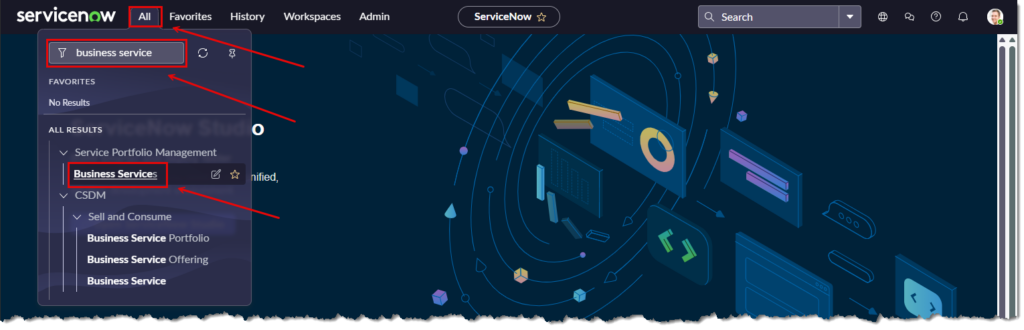
Click on a Business Service.
- In this case [Remote Site Monitoring Service]

The “Business Service” page will appear
Scroll down to the mid-section and click the [+] which is the “Add CI Relationship” button.
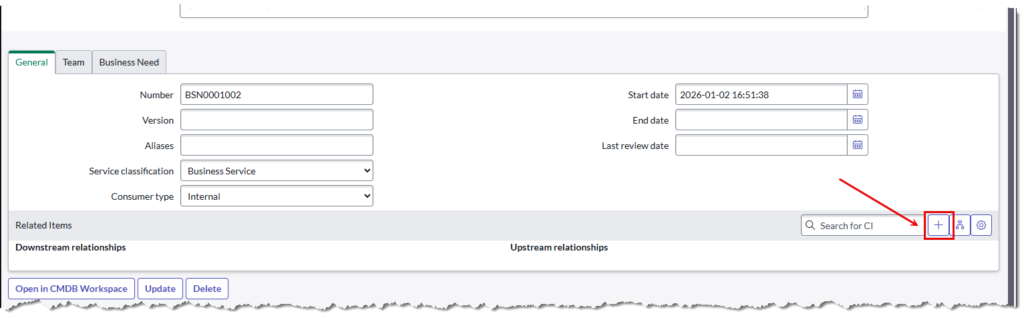
The “Relationship Editor” page will appear.
For this example, we want to link servers as a dependency to the business service.
- Highlight [Depends on (Parent)…]
Set filters to narrow down on configuration items you want to include as dependencies.
- Click the [Run Filter]
Use the check boxes and add ticks to the servers or CI’s you want to relate.
In the “Relationships” section at the tail of the form click on the [+] which is the “Create new relationships with selected configuration item(s)” button.
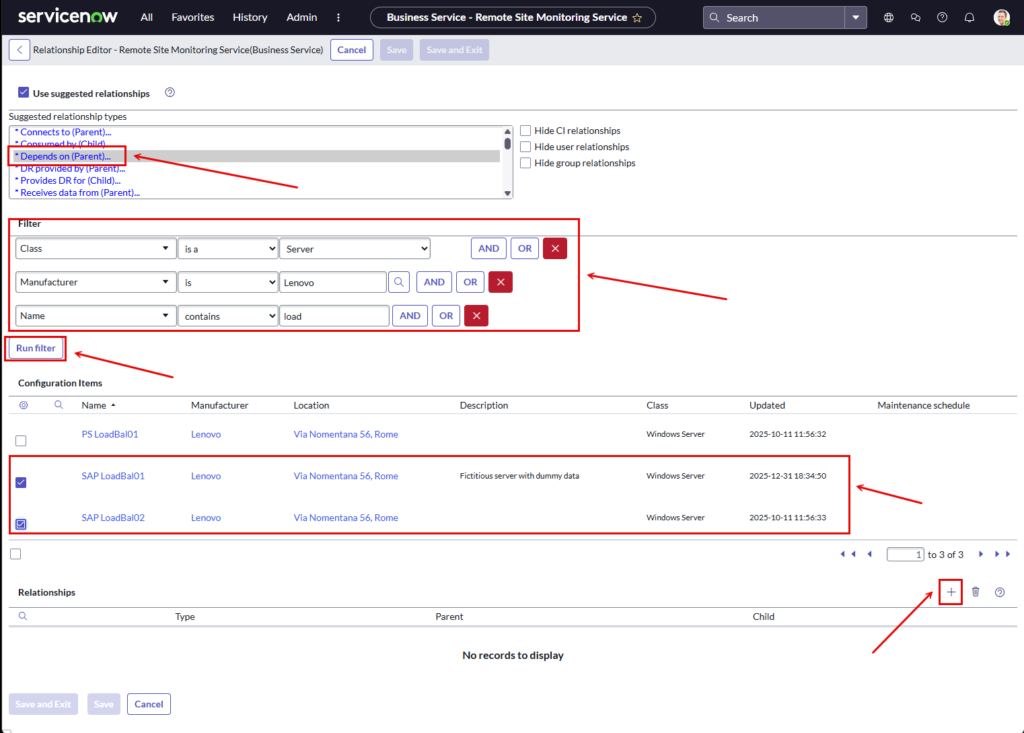
After [+] is clicked the relationships are added and a new section of the page is added with the relationship details.
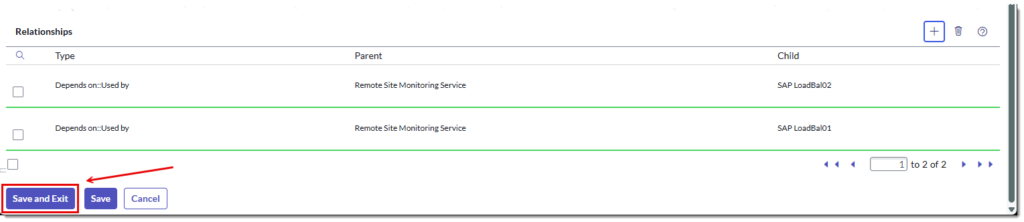
A Confirmation dialog box will appear.
Click [OK] to continue

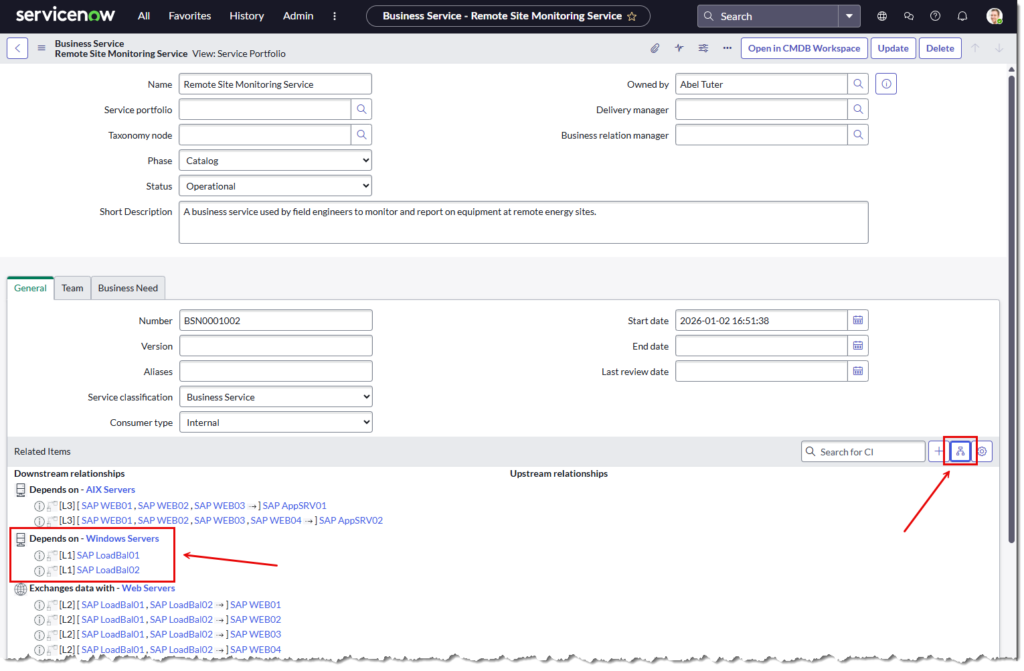
The “Business Service” page will appear with the new relationships added.
Click the [Show Dependencies View] icon to see a visual representation.
The visual service view page will appear.
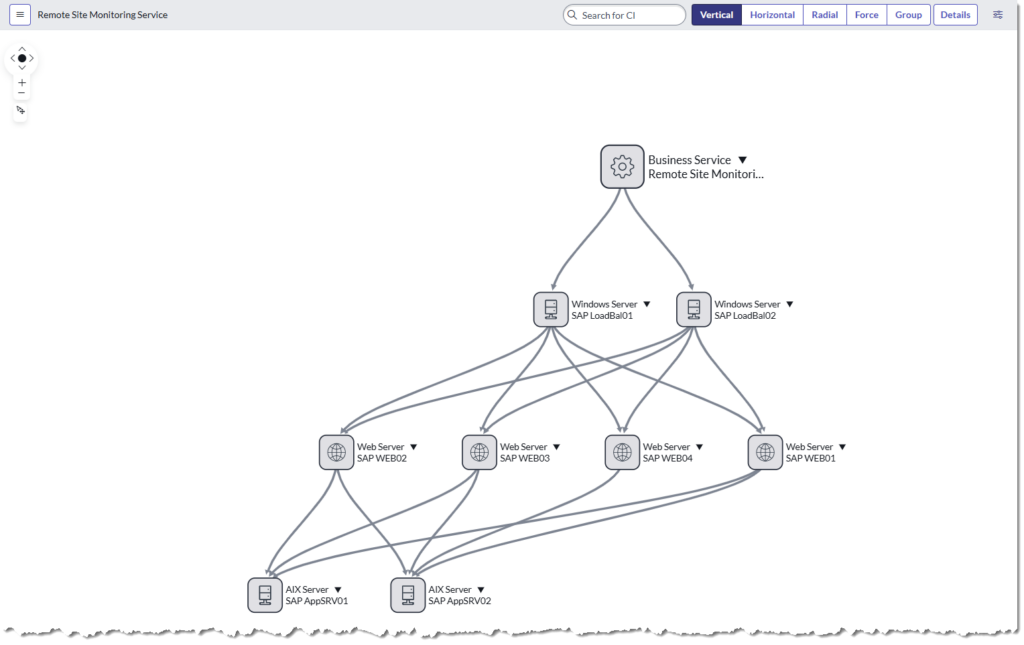
Note – This is not an accurate architecture. It’s just a ServiceNow sandpit with the purpose of learning how to relate services.
EOF