The CMDB Workspace is ServiceNow’s page for viewing and managing configuration items. It highlights CI details, relationships, and health checks into a refined interface, replacing the old CMDB View pages. You can quickly search CIs, update attributes, see dependencies, and review data quality without jumping between forms. This is a quick overview using the ServiceNow training instance.
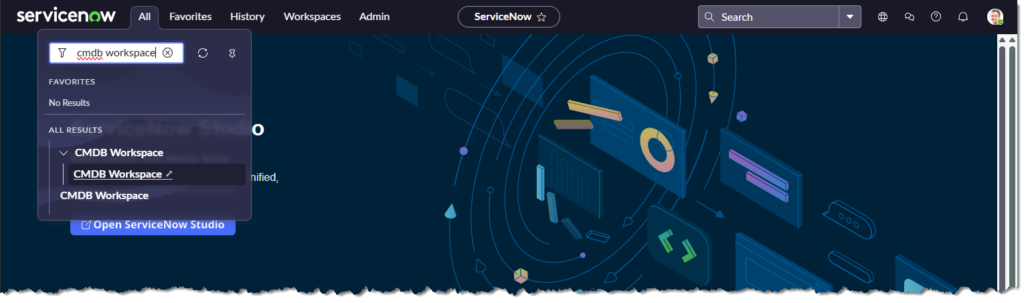
From the main ServiceNow page.
- Click [All]
- In the searchbar type “cmdb workspace“
- Click [CMDB Workspace]
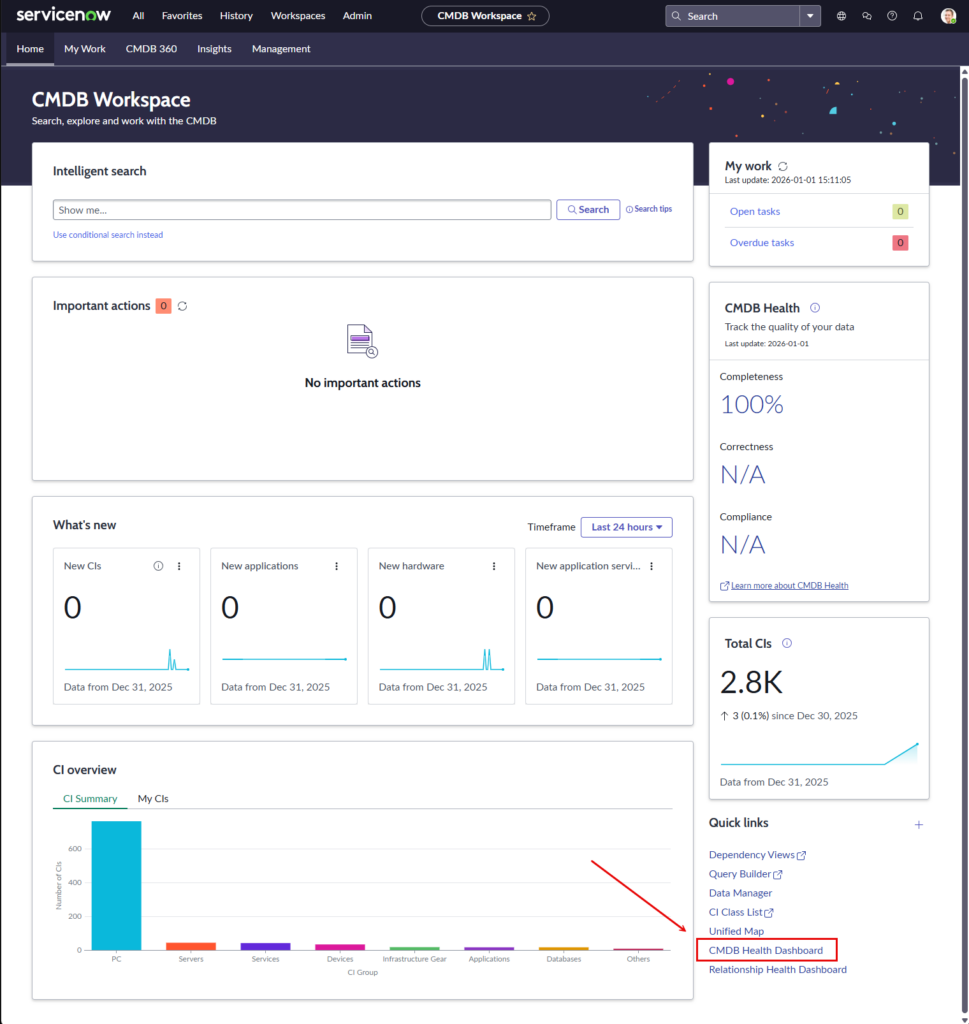
The “CMDB Workspace” page will appear. It contains the following:
Header Navigation – Top-level access to CMDB tools like My Work, CMDB 360, Insights, and Management.
Intelligent Search – Natural-language search bar to quickly find CIs by name, type, or condition.
Important Actions – Shows pending system alerts or tasks; empty when no action is required.
My Work Panel – Displays your open and overdue CMDB-related tasks, with last update timestamp.
CMDB Health Panel – Summarizes CI health scores for completeness, correctness, and compliance.
What’s New – Tracks new CIs, apps, hardware, and services added in the last 24 hours.
CI Overview – Bar chart showing CI distribution by group — useful for spotting inventory skew.
Total CIs Panel – Shows total CI count and recent changes in volume, with percentage delta.
Quick Links – Fast access to tools like Dependency Views, Query Builder, CI Class List, and Health Dashboards.
Click [CMDB Health Dashboard] to continue.
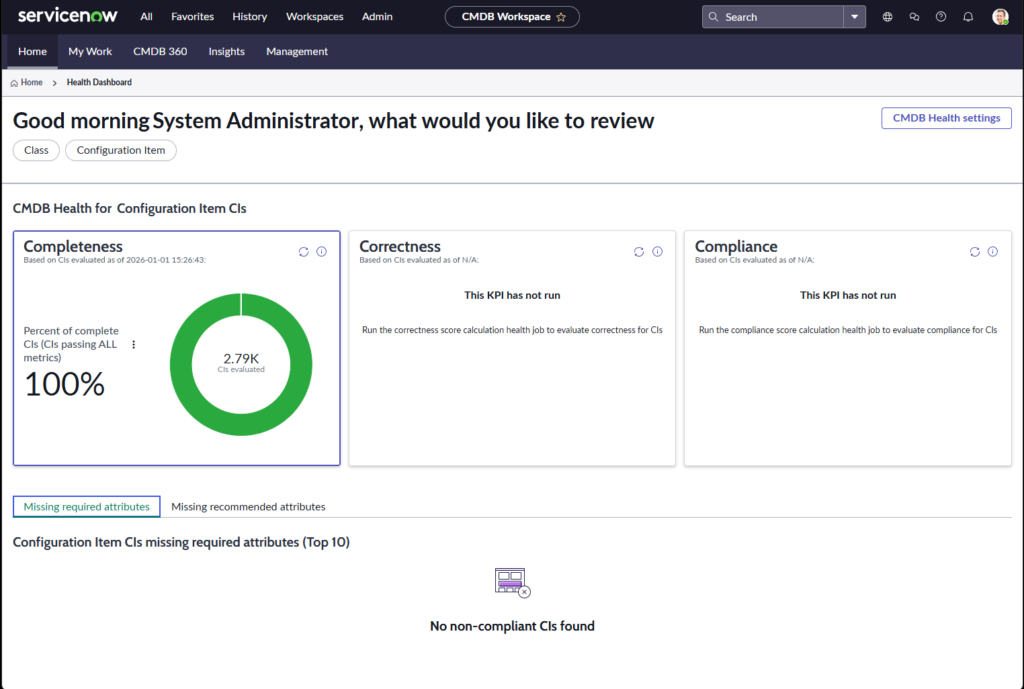
The “Health Dashboard” page will appear.
The CMDB Health Dashboard helps you monitor the quality of your configuration item (CI) data. It evaluates CIs against three key dimensions:
- Compliance: Do CIs follow defined policies or standards? This dashboard is used by CMDB managers, system admins, and governance teams to track data hygiene and trigger remediation.
- Completeness: Are all required fields filled? A CI is considered complete if it has all mandatory fields filled (e.g. name, class, status). This is the most basic health check that there is no missing data.
- Correctness: Are the values valid and consistent? Staleness? Has the CI been updated within the expected timeframe? Orphaned CIs: No relationships or missing parent/child links
EOF