A CMDB baseline in ServiceNow is a snapshot of a configuration item and its first level relationships, used to understand what has changed since that snapshot moment. Baselines help CMDB administrators compare the current state of a CI against an earlier recorded state so they can quickly identify attribute changes, relationship updates, or unexpected modifications that may impact stability or compliance.
Updated note – Although the feature is now deprecated and no longer recommended for large‑scale use, the core purpose remains the same: baselines provide a simple way to track and review CI drift over time. More details at tail of page.
To start using the Baseline feature. Open ServiceNow.
- Click [All]
- Search for “baselines” in the searchbar
- Click in [Baselines]
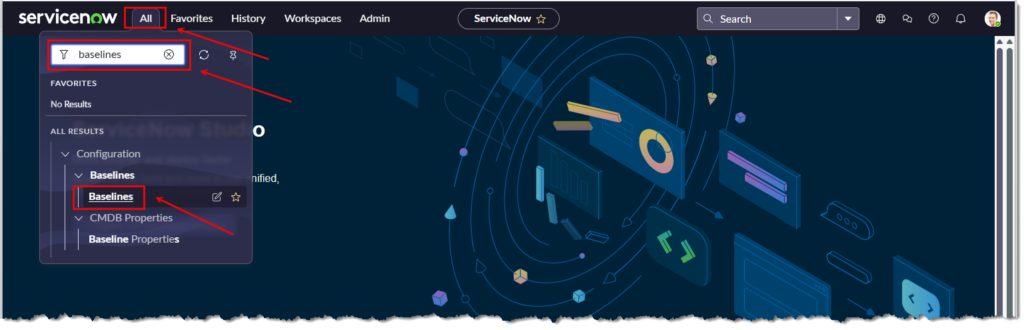
The “CMDB Baselines” page will appear.
Click [New] to continue
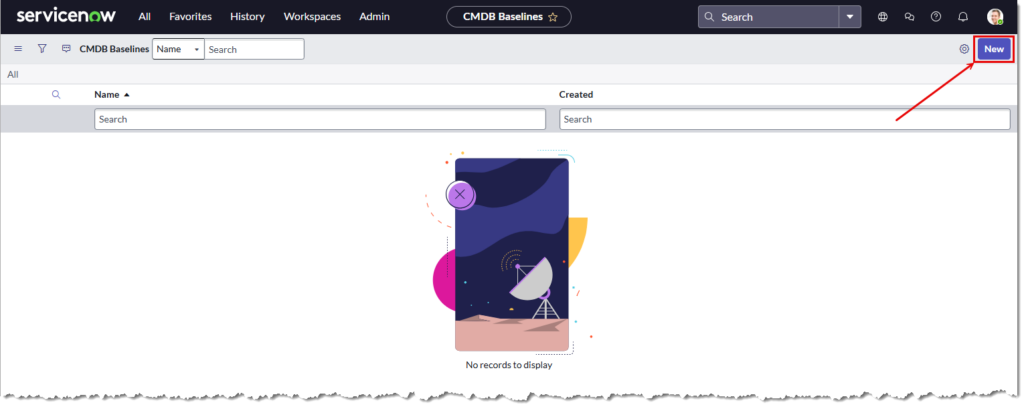
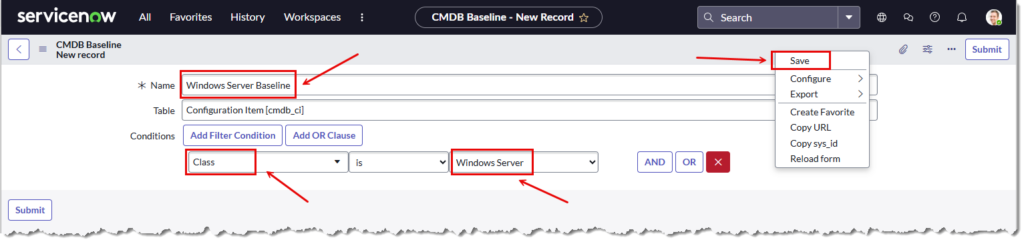
The “CMDB Baseline” Page will refresh with new fields to create a specific baseline report. In this example we want a report on Windows Servers.
In the Name field enter “Window Server Baseline“. This is the report name.
Under the “Conditions” filelds select [Class]
Also select [Windows Server]
Right click in the grey header field and select [Save]
The screen will refresh with a new “Windows Server Baseline” table
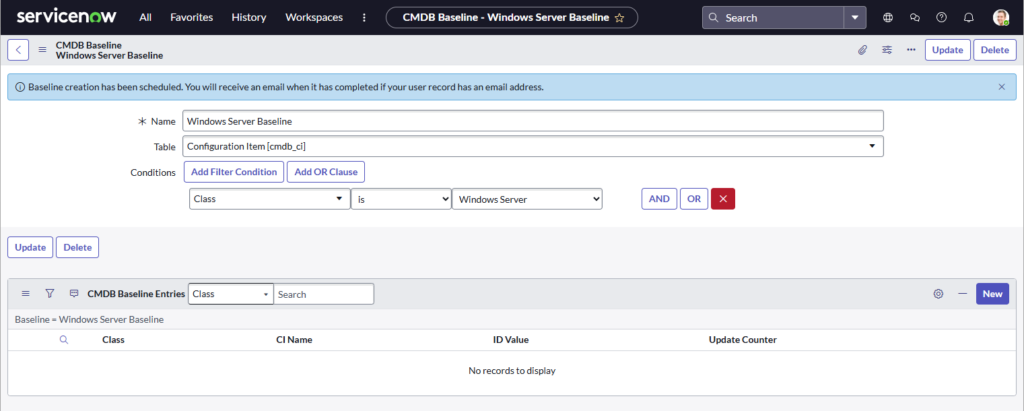
We’re now going to modify a windows server to notice any changes to the baseline number.
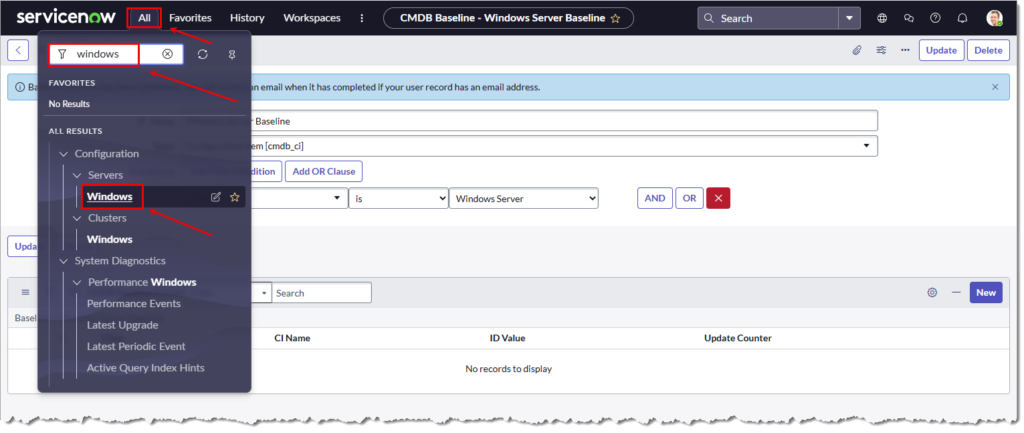
- From the “ServiceNow” heading select [All]
- Type “Windows” in the search bar.
- Select [Windows] under the [Configuration] heading.
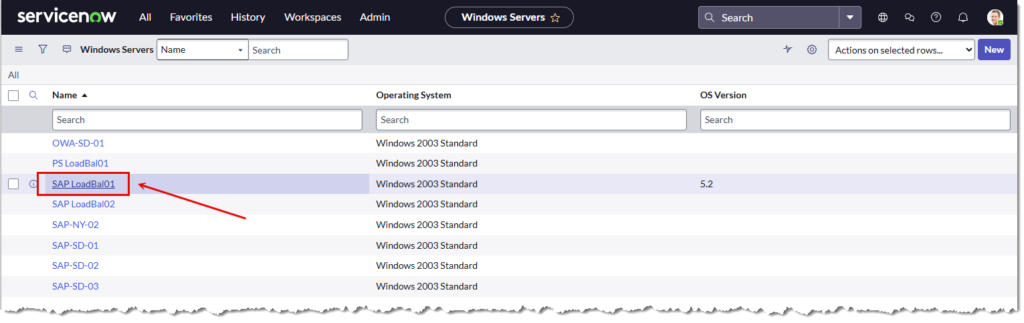
All the CMDB Windows servers will be listed.
- For this example, select “SAP LoadBal01“
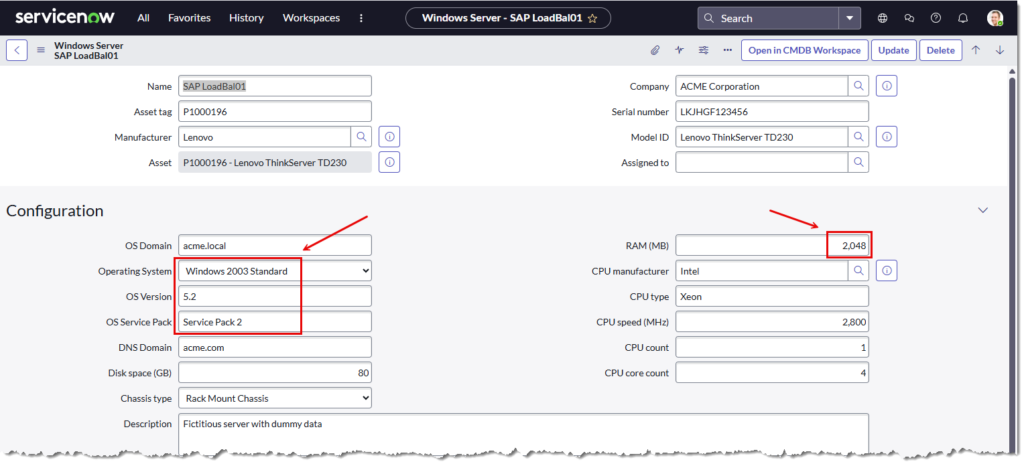
The “SAP LoadBal01” page will appear.
- The highlighted fields can be updated.
- See next image for updates
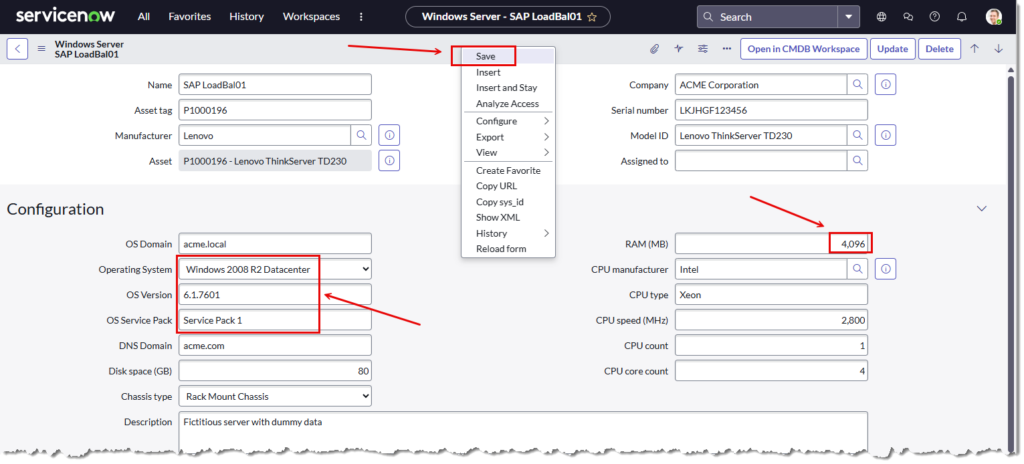
- Update RAM to “4096“
- Update [Operating System] to “Windows 2008 R2 Datacentre“
- Update [OS Version] to “6.7.7601“
- Update [Service Pack] to “Service Pack 1“
- Click [Save] to finish
Go back to the “Baselines” page. In the “ServiceNow: heading
- Click [All]
- Search for “baselines“
- Click on [Baselines]
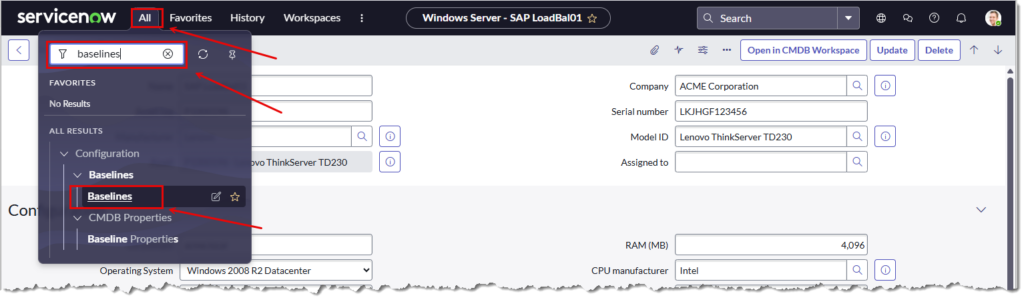
The “CMDB Baseline” page will appear
- Click [Windows Server Baseline]

The “Windows Server Baseline” report page will appear.
- Our example server “SAP LoadBal01” has an “Update Counter” number of 24.
- This number will increase as configuration changes are made to the server.
- But… it doesn’t appear to be working.
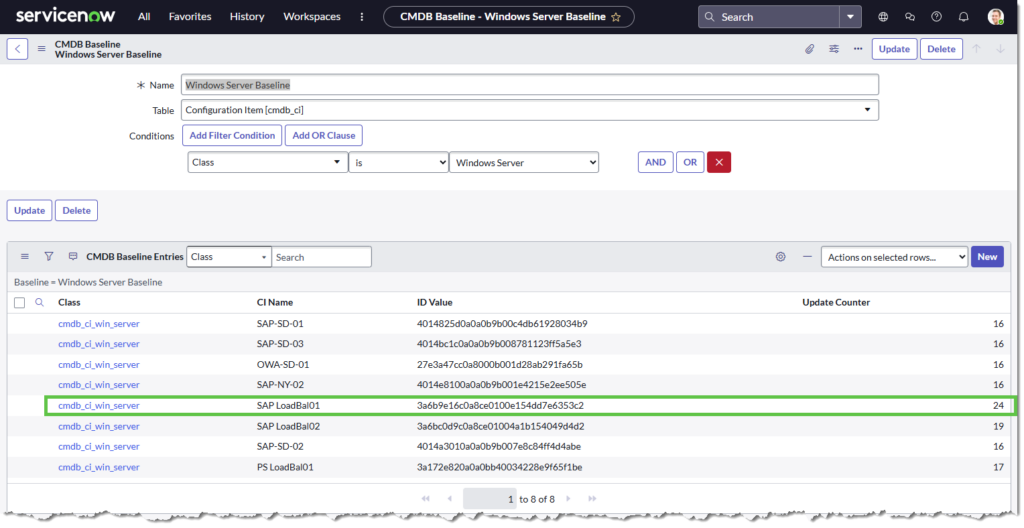
Update.
……and having documented this and researching the subject a little more, it appears ServiceNow have deprecated the Baseline feature. The official ServiceNow source explicitly states CMDB Baselines are… deprecated:
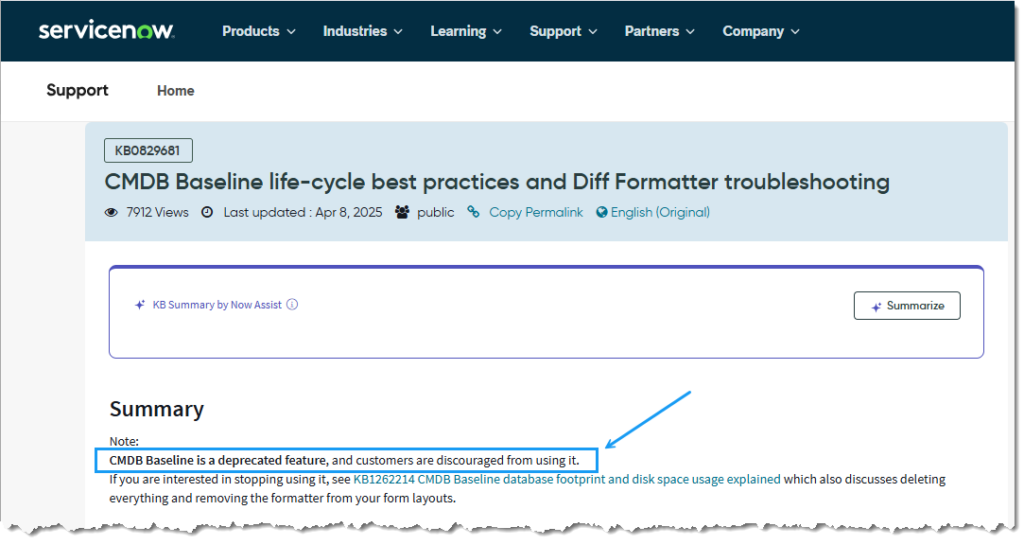
EOF